
 Song-saem: From Planner to Developer with AIBlog home →
Building a 3D Game Without Unity: How Road Voca 1 and 2 Differ (Building Road Voca 2, Part 3)
Road Voca 1 was a 2D companion game for reviewing my word-roots book, built in Unity by placing and wiring code myself. Road Voca 2 brings learning and play together inside one program, no book needed, and is built as a 3D web app (PWA) that runs in the browser. Here’s what changed and what’s still hard.

How do Road Voca 1 and Road Voca 2 differ? The biggest change isn’t just moving from 2D to 3D. If Road Voca 1 was a companion game for reviewing what you studied in my word-roots book, Road Voca 2 is being built so that everything from learning to play happens inside the program, with no book needed. The tool changed too: from the game engine Unity to a 3D web app (PWA) that runs in the browser.
Road Voca 1 was a companion game to the book
I made the first Road Voca to help review what was learned from my word-roots book, Ttaraga! Voca. Roots and word explanations were studied in the book, and the game was where you met those words again.
The game wasn’t built to teach roots from scratch. The book handled the learning, and Road Voca added fun to the review.

The tool was Unity
Unity is a game engine that handles what games need, such as graphics, sound and movement. I built Road Voca 1 in Unity and released it on Google Play.
AI wrote code for me even then. But putting that code into files, connecting it to objects on screen and adjusting the settings was my job. I also had to learn the “Hierarchy,” the list that shows how objects relate to one another.
Getting code and making a game actually run were two different things. I first had to learn what went where and how to connect it.
Even sound held me up for a long time
Sound is what I remember most. Background music and sound effects overlapped or played differently from what I intended, and finding and fixing the cause took longer than I expected.
Back then I was building without fully understanding the tool and its structure, so there were many difficulties. Road Voca 1 was 2D, and there was still a lot to learn.
Had I tried 3D at that point, I would have needed to figure out cameras, lighting, character movement and collision handling as well. I doubt I would have dared to try.
Road Voca 2 puts learning inside the program
This time I’m bringing the book’s role into the program itself. You understand meanings by looking at roots and pictures, solve questions with the words you’ve learned, and meet your mistakes again.
The idea is that you learn roots and words in the pit stop, then check them again by solving questions in the race. Learning and review continue without a book open beside you.
So Road Voca 2 isn’t just a 3D version of the old game’s screens. It turns a book’s companion game into a game that contains the learning itself.

This time 3D runs in the browser
The tool changed too. Instead of Unity, I’m using web technology to build a 3D game that runs in the browser.
On top of that I’m applying the PWA approach, so it can be added to the home screen and used like an app. You start by visiting a web address, and on supported devices you can install it.
When I fix the web app and deploy it, there’s less need to download and install a new app file. Old files can linger on a device, though, so I also have to check that changes actually show up.
| Road Voca 1 | Road Voca 2 | |
|---|---|---|
| Role | Companion game for reviewing the roots book | Learning through play, no book needed |
| Graphics | 2D | 3D |
| Built with | Game engine Unity | Web app that runs in the browser (PWA) |
| Working with AI | I placed and connected AI-written code | An AI coding tool reads and edits the files directly |
| Install | Google Play | Visit a web address, add to home screen |
Old code became a new starting point
At the start, I showed Claude the Unity code from Road Voca 1. It read the structure and moved it into a version that runs in the browser.
That doesn’t mean Road Voca 2 was finished. Porting old features and building a new learning path and a 3D game are separate jobs. Still, it was surprising that instead of explaining everything from scratch, the old code became the foundation for the next step.
The way I work changed as well. I used to copy AI-written code in and connect it myself; now an AI coding tool reads the files in the project and edits them directly. I look at the running result and explain what’s wrong and where I want it to go.
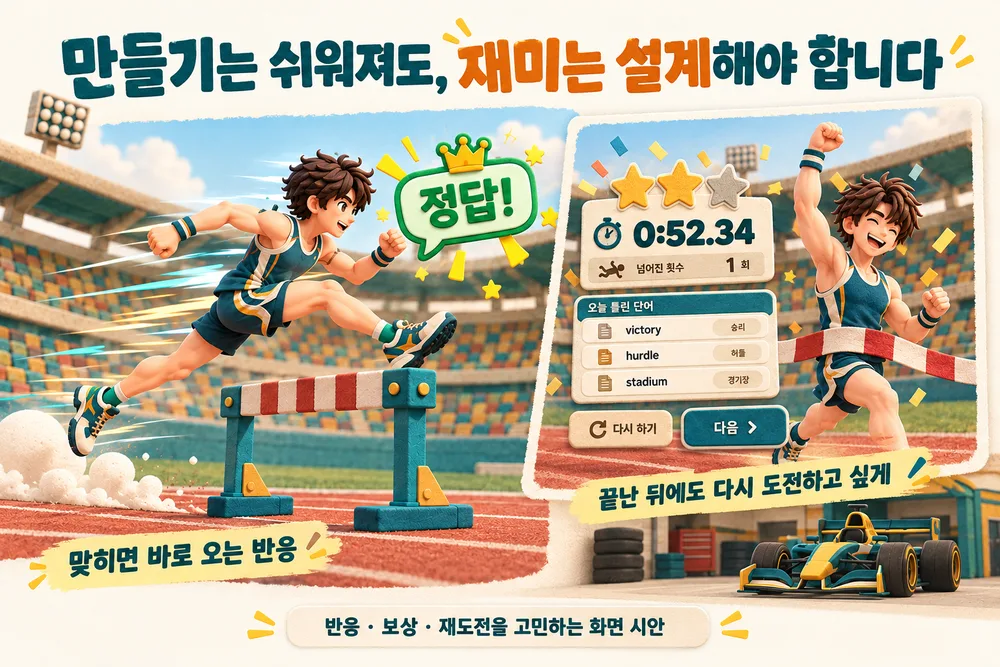
Easier to build, but fun still has to be designed
An easier tool doesn’t make a fun game appear on its own. A car that drives and questions that pop up aren’t enough.
So these are the things I’m thinking through for Road Voca 2:
- Goal: make players want to finish this stretch and reach the next area
- Feedback: let players notice right and wrong answers instantly, on screen and by sound
- Difficulty: move from easy words to harder words and sentence questions
- Rewards: create the joy of earning new characters, vehicles and records
- Retry: make players want to start again even after failing
- Feel: keep driving and dodging from ever feeling sluggish
Not all of this is built yet. It’s the direction I’ll test and adjust as people actually play.
Fun and learning have to carry on together
Since Road Voca 2 is meant to let you study without a book, it has to take responsibility for the flow of learning too. Just driving for fun isn’t enough, and neither is making players read long explanations.
If questions come too often, they break the flow of the game. If players focus only on the game, they may tap answers without thinking about the words. Understanding through roots, meeting words again in questions and reviewing mistakes have to flow naturally into one another.
Before, my biggest question was “Can I even build this?” Now I think more about “How can it stay fun to keep playing and still teach?” I’ll keep recording the search for that answer. You can try the current Road Voca on the Road Voca website (one-pex.com).
In short
- Road Voca 1 was a 2D companion game for reviewing my word-roots book Ttaraga! Voca, built in Unity by placing and connecting AI-written code myself.
- Road Voca 2 brings the book’s learning role into the program: a 3D game where you learn in the pit stop and check again in the race.
- The tool is now a browser web app (PWA) instead of Unity, and Road Voca 1’s Unity code became the starting point.
- Building got easier, but designing fun and learning to flow together is still the big challenge.
FROX, the business system I build at ONE-PEX, is also a web app that runs in the browser. An AI coding tool reads and edits the files while a person checks the results and sets the direction, and that same approach works for a business system and a 3D game alike.
Next (Part 4): I had the 3D materials ready with AI, then got stuck when I put them together on the game screen.
Related reading: Building Road Voca 2, Part 2: Studying Words or Playing a Game? · Build Your Own Scheduler, Part 7: Deploying a Web App and Adding It to Your Home Screen

A software planner who became a developer after two years of working with AI five to twelve hours a day. Today I build FROX, an AI-powered business system, at ONE-PEX.
More posts
- What Can You Build with AI?Orders in KakaoTalk, Stock in Excel, Receivables in a Notebook: Changing Messenger Orders Only the Owner Understands (Food Supplier, Part 1)
- What Can You Build with AI?I Fixed My TWA App, So Why Didn't It Change? What I Learned from the War with Caching
- What Can You Build with AI?Details Matter: Splitting 3D Characters and Vehicles So They Can Move (Building Road Voca 2, Part 5)