
 Song-saem: From Planner to Developer with AIBlog home →
Details Matter: Splitting 3D Characters and Vehicles So They Can Move (Building Road Voca 2, Part 5)
I could move the 3D models I prepared with AI as a whole, but with the wheels not turning, they looked like they were sliding across the ground. After splitting characters, vehicles, wheels and pedals and adding movement, the wheels turned, a scarf fluttered and a character pedaled. This is how I learned that small details create the feeling of driving.

What does it take to make 3D characters and vehicles made with AI drive naturally in a game? For me, moving each model as one piece wasn't enough. I separated the characters from the car, set up parts like wheels and pedals to move on their own, and added movement one by one. Once the wheels turned, the scarf around a character's neck fluttered and a bicycle's pedals went round, the same models looked far more alive.
In the last post I wrote that when I put the 3D materials I'd prepared with AI together on the game screen, the result wasn't what I expected. So I started opening the models in Blender one by one.
This is what came next. This time I split the characters and vehicles into parts and added movement. What I felt along the way was that small details matter more than I thought in bringing a game screen to life.
Moving the whole thing wasn't enough
When I opened a model in Blender, it looked like a character riding in a car, but it wasn't set up so that each part could move on its own.
I could move the whole thing. But when the car and character moved together without the wheels turning, it looked less like driving and more like sliding across the ground.
The car moving forward and the wheels spinning had to be separate movements. The character and the scarf around its neck also needed to move on their own. With these models, I had to sort that out first.
First I decided what should move
I separated the character from the car and split the wheels off the car. I set up the bicycle so its pedals could turn. For the characters, I also looked at how to show body movement and a fluttering scarf.
It was my first time doing this, so I asked AI about the features I didn't know. But before "where should I split it?", I had to decide "how do I want it to move in the game?"
I thought about how the wheels should turn when the car drives, what pose the character should take, and which way the scarf should flutter. Only after picturing that could I ask AI for something specific.
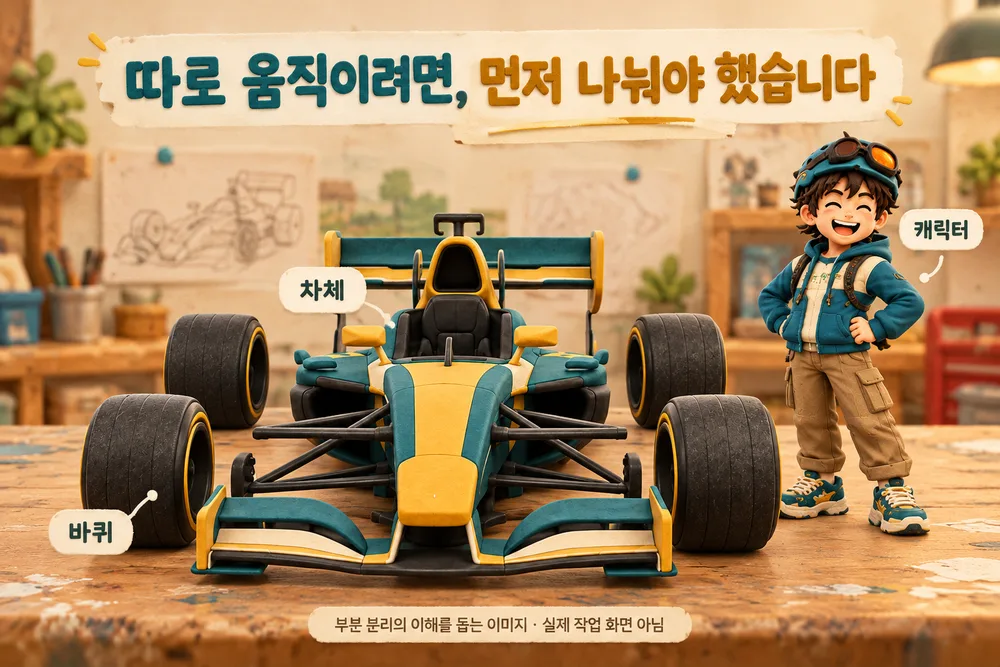
The wheels turn, the scarf flutters, the pedals go round
After splitting the parts, I added movement one at a time:
- The car's wheels turn to match its speed.
- The scarf around a character's neck flutters in the wind.
- A character riding a bicycle pushes the pedals.
Each one is a small change. But once the movement was in, it felt different. The same model looked far more alive than when it moved as one piece.
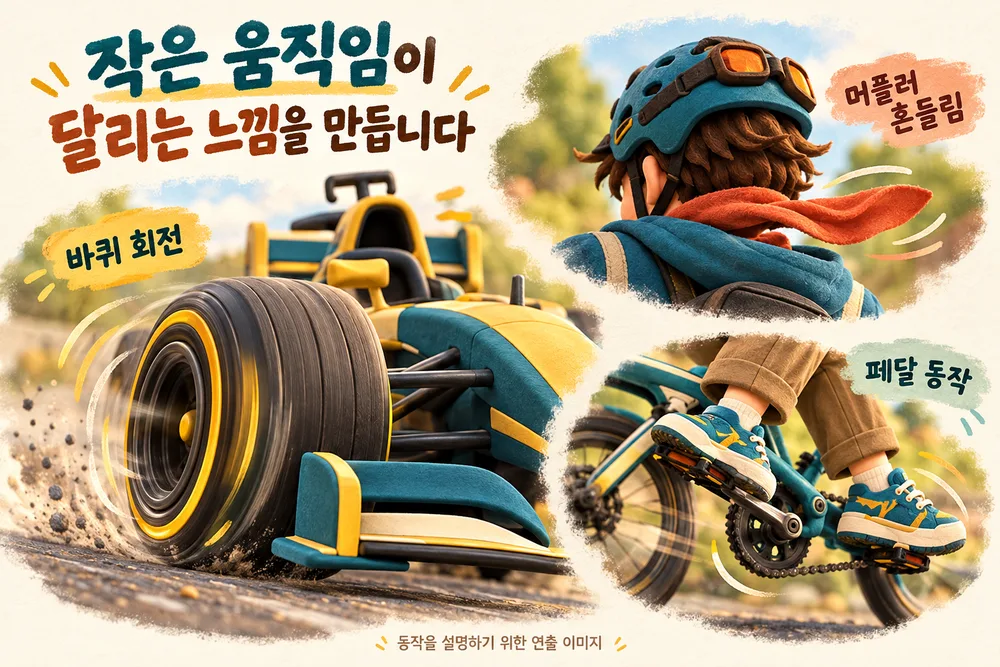
Small movements create the feeling of driving
While I was focused on making the models look good, I didn't think enough about this. I assumed that once the cars and characters were ready, a driving scene would come together quickly.
But on screen, each small movement mattered. When the wheels turn and the scarf flutters, you get the sense of moving forward without any explanation. And the pedaling motion is what makes riding a bicycle look natural.
Road Voca 2 aims to be a program where students learn roots and words without a book, then meet them again in a game. To make students want to keep going, I realized I need to look after not just the learning content but also how things move on screen.
So far I've applied it to only some models
Not every character and vehicle is done. I'm trying it on some of them first to check the method.
I've prepared 10 characters and 19 vehicles. For each one I need to see what movement it needs, and check again after putting it in the game. The wheels may turn at a speed that doesn't fit, and a motion that looked fine up close may be hard to see through the actual game camera.
So I keep repeating the process: add movement to one model, check it on the game screen, and fix what looks awkward.

Again, there was thinking to do before handing it to AI
"Make the car move" and "When the car goes forward, make the wheels spin to match its speed" were different requests.
The more clearly I pictured the scene I wanted, the clearer it became what needed fixing. Even with AI helping with the work, spotting what looks awkward in the result was still my job.
It takes time, but this time I'm a little clearer on what I'm doing and why.
In short
- I could move the 3D models I prepared with AI as a whole, but as they were, they looked like they were sliding rather than driving.
- Before deciding where to split them, I decided how I wanted them to move in the game.
- Small movements such as turning wheels, a fluttering scarf and pedaling created the feeling of driving.
- I've applied this to some models first, and I'm checking and fixing them on the game screen.
When I build FROX, the business system at ONE-PEX, I also think details like a single button or a line of guidance matter as much as big features in how easy it is to use.
Related reading: Making a 3D Game with AI: I Had the Materials, Then Got Stuck (Building Road Voca 2, Part 4) · Building a 3D Game Without Unity: How Road Voca 1 and 2 Differ (Building Road Voca 2, Part 3)

A software planner who became a developer after two years of working with AI five to twelve hours a day. Today I build FROX, an AI-powered business system, at ONE-PEX.
More posts
- What Can You Build with AI?Orders in KakaoTalk, Stock in Excel, Receivables in a Notebook: Changing Messenger Orders Only the Owner Understands (Food Supplier, Part 1)
- What Can You Build with AI?I Fixed My TWA App, So Why Didn't It Change? What I Learned from the War with Caching
- What Can You Build with AI?Do Korean Stocks Rise When US Biotech Stocks Do? I Measured, It Was Different, and What It Costs (Building a Stock App, Part 3)