
 Song-saem: From Planner to Developer with AIBlog home →
How to Ask AI Well: Six Steps, Starting with Ground Rules
"You have to ask AI good questions" doesn’t mean writing clever sentences. It means setting ground rules you’ll reuse, giving the purpose, situation, constraints and output format for the task, and having AI ask about missing information first. Six steps for handing work to AI the way a planner hands work to a team, plus how to check the result.

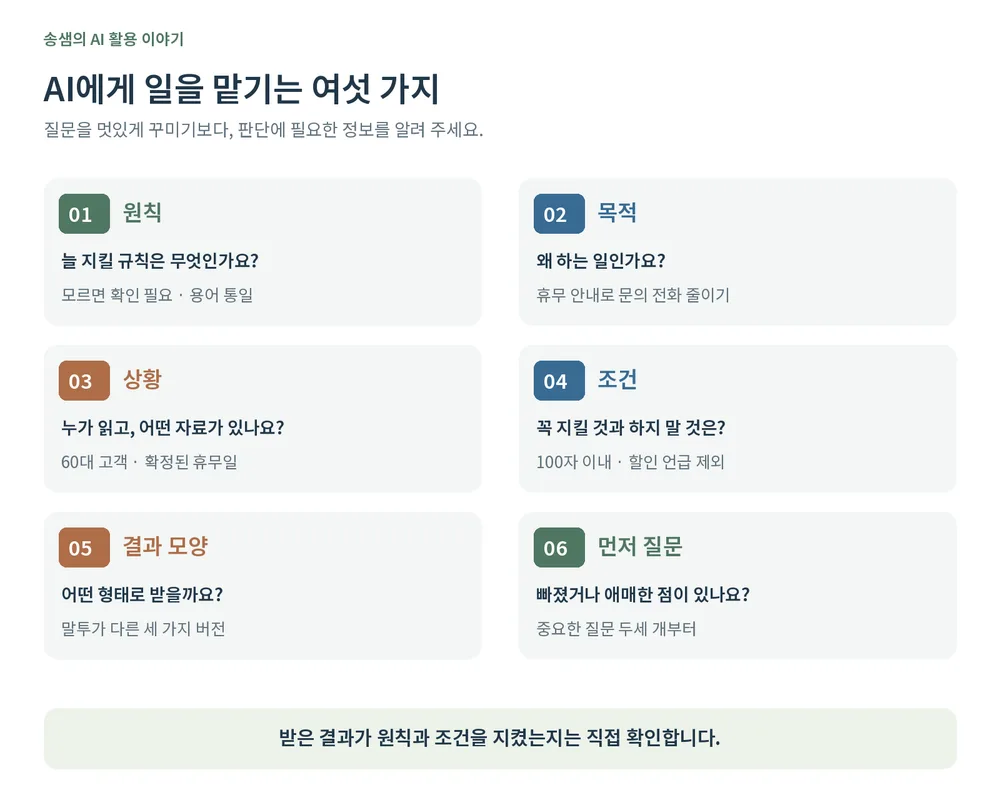
What does it mean to ask AI a good question? Not writing clever sentences, but deciding and telling it what the person handing over the work should decide. First, set ground rules that apply to all the work you hand over repeatedly. Then give this task’s purpose, situation, constraints and the shape of result you want, and if important information is missing, have AI ask first. Then check the result yourself.
What does "ask good questions" actually mean?
Before I became a developer, I was a software planner. Part of a planner’s job is handing work to others. I gave designers and developers why we were building it, who would use it, what had to be kept, and what the result should look like. When explanations were missing, people easily worked with different pictures in mind. When a result came out wrong, I first had to ask whether I had explained enough.
Working with AI, I had a similar experience. AI sometimes fills whatever you don’t explain with plausible guesses. So I read "ask good questions" as "hand over work well."
1. Set ground rules first
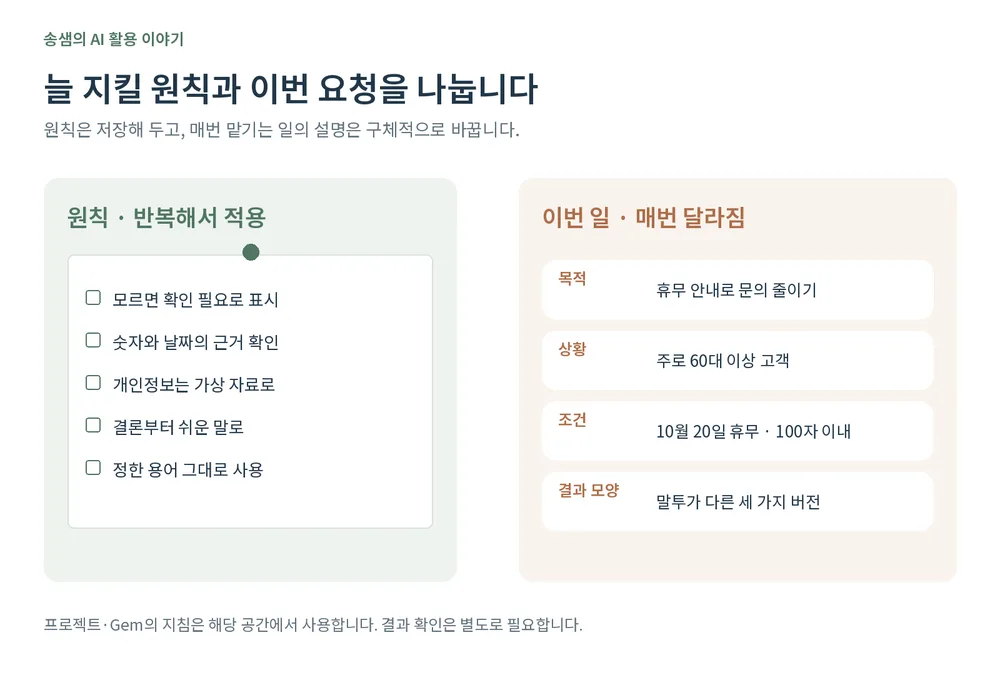
Before writing a question, there is one thing to do: set ground rules that apply to all the work you hand over repeatedly.
| Ground rules | Question | |
|---|---|---|
| When | Set once, applied repeatedly | Every time you hand over work |
| Contains | Standing rules, tone, things to avoid | This task’s purpose, situation, constraints, output format |
| Example | "Don’t make things up; mark it as needs checking" | "Write a text about next week’s closure" |
Examples of ground rules:
- Don’t invent what you don’t know; mark it "needs checking."
- Give a verifiable basis for numbers and dates.
- Replace personal data such as client names with dummy data before working.
- Answer conclusion first, in plain words.
- Don’t change the terms I’ve defined on your own.
You can store rules like these in ChatGPT’s custom instructions or project instructions, Claude’s project instructions, or a Gemini Gem. But their scope differs. Project instructions apply within that project, and a Gem’s instructions apply when you chat with that Gem. Don’t assume rules you’ve saved will apply when you chat somewhere else.
If the settings feel unfamiliar, ask AI:
"I want to reuse these rules. Tell me where to save them in the service I use, and which conversations they apply to."
When I build a business system, I write a ground-rules document before asking for any code. For one system I’m building now, rules like "never delete data; cancel it instead," "print every needed document from data entered once," and "never mix two similar terms" sit at the top. I ask AI to read this document first and then start work.
2. Purpose: what is the work for?
With rules set, now the task. First, say why it’s being done. Rather than "write a notice," say "write a notice announcing next week’s closure in advance so we get fewer customer calls." Knowing the purpose makes it easier for AI to judge what to put first and what to emphasize.
3. Situation: who reads it, and what material is there?
Say who will read it and what the situation is. Wording and how much to explain change depending on whether readers are mostly customers in their 60s or colleagues.
If you have reference material, provide it: the confirmed closure date, the contact to give, an earlier notice. It helps to add "don’t make up anything not in the material." You’re shrinking the gaps AI would otherwise fill with guesses.
4. Constraints: what to keep and what to avoid
List constraints for this task: "keep the body within 100 characters," "always include the contact," "don’t mention discounts." Ground rules apply repeatedly; constraints apply to this task. Concrete length and required items also make the result easier to check.
5. Output format: in what shape?
Decide the shape of the result you want: a table or prose, and how many. Ask for "three versions in different tones" or "a table of decisions, owners and deadlines." Leave the shape unset and you often end up reworking the format AI chose.
6. Have it ask about what’s missing
Finally, if important information is missing, have it ask before writing, just as you’d tell a person, "ask me if anything is unclear."
"Before you start, if anything is missing or unclear, ask me two or three of the most important questions first."
This helps you find gaps you missed. Of course, simple jobs that need no questions don’t have to stop every time; just add that it can go ahead if the information is enough.
A short question vs. a specific request
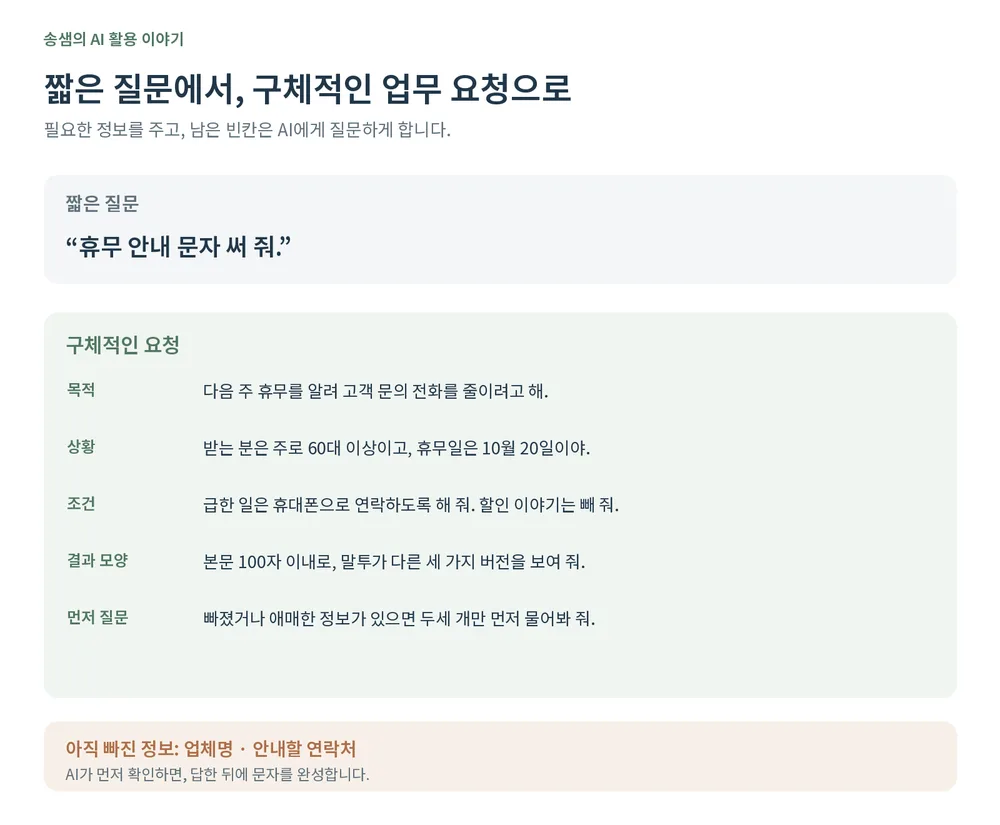
Let’s hand over the same job two ways.
Short question: "Write a closure text message."
Specific request: "I want to announce next week’s closure to reduce customer calls. Most recipients are customers aged 60 and over. We’re closed only on October 20; tell them to use the mobile number for urgent matters. Keep the body within 100 characters and leave out discounts. Show three versions in different tones. Before writing, ask me two or three questions if anything is missing or unclear."
The second request still lacks the business name and the contact number. When AI asks for them first, you answer, and then it finishes the text. The ground rules were set in advance to apply to this conversation, so they aren’t repeated here. It takes a few more lines, but it helps cut down on fixing the result again and again.
Check the result too
Even with a specific request, you still need to check the result. In this example, check that the date and contact are right, the length was kept, and nothing you excluded slipped in. Compare important numbers and facts with the source yourself. Asking AI to "review this against the ground rules" helps, but don’t let that be the whole check.
In short
- A good question isn’t a difficult sentence; it’s handing over work well.
- Set and save ground rules you’ll reuse, and confirm which conversations they apply to.
- Each time, give the purpose, situation, constraints and output format, and have AI ask about missing information first. Check the result against the source yourself.
At ONE-PEX, we also write a ground-rules document before handing work to AI when building FROX. The clearer the rules, the easier the result is to check and fix.
Related reading: Why is AI so confidently wrong? · ChatGPT vs. Claude vs. Gemini: Which to Try First?

A software planner who became a developer after two years of working with AI five to twelve hours a day. Today I build FROX, an AI-powered business system, at ONE-PEX.
More posts
- What Can You Build with AI?Orders in KakaoTalk, Stock in Excel, Receivables in a Notebook: Changing Messenger Orders Only the Owner Understands (Food Supplier, Part 1)
- What Can You Build with AI?I Fixed My TWA App, So Why Didn't It Change? What I Learned from the War with Caching
- What Can You Build with AI?Details Matter: Splitting 3D Characters and Vehicles So They Can Move (Building Road Voca 2, Part 5)