
 Song-saem: From Planner to Developer with AIBlog home →
ChatGPT vs. Claude vs. Gemini: Which to Try First? Choosing by Experience and Benchmarks
The three AIs differ less in who is better than in how they work. In my experience, ChatGPT is the all-rounder for words and images, Claude the careful one for logic and code, and Gemini the household manager tied into Google apps. We also look at a public benchmark and how to make the final call with your own work.

Which should you try first: ChatGPT, Claude or Gemini? All three can handle many tasks, but they differ in how they work, the tools they connect to, and their plan benefits. I use all three for work, and the more I use them, the more they feel different in personality rather than better or worse. This post introduces them as characters based on my experience and looks at one public benchmark. The bottom line is simple: use benchmarks as a reference, and make the final choice by testing the work you will actually give them.
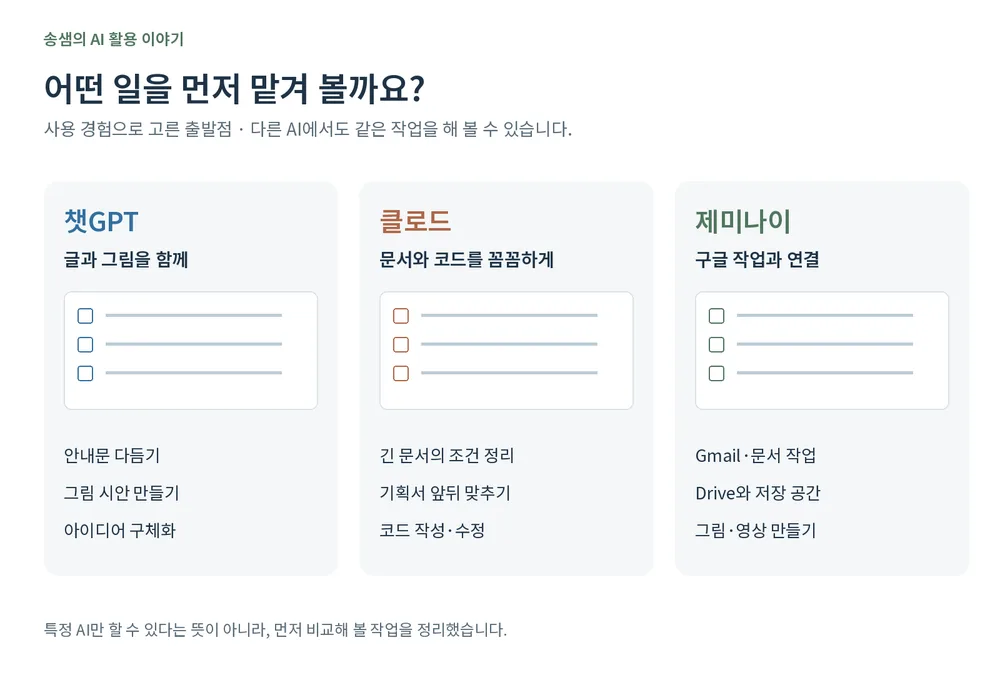
ChatGPT: the all-rounder for words and images
To me, ChatGPT is an all-rounder I can hand many kinds of work. I use it widely, from writing and editing to brainstorming and organizing material.
It is especially what I reach for when turning a scene in my head into an image. You can revise conversationally: "make this part a bit brighter," "make the main character smaller and widen the background." Even free users can create images within limits. If you want to go from writing straight to the illustration it needs, it is a good place to start.
Claude: the careful one for logic and code
What I often do in Claude is organize the conditions in long documents and refine plans and code step by step. I use it to check that a planning brief holds together, or to write and fix code while keeping many conditions. Personal Pro and Max plans also include the coding tool Claude Code.
Careful answers still miss conditions sometimes, though. I check separately whether it kept the rules I set.
Gemini: the household manager tied into Google apps
What stands out about Gemini is that it connects to the Google services you already use. On plans that include it, you can use Gemini inside Gmail and Google Docs.
Google AI Pro includes 5 TB of storage shared across Google Drive, Gmail and Google Photos. If you already pay for storage separately, compare it with what you spend now. Beyond images, you can create Veo-based video in Gemini and Flow. Features and generation limits vary by plan.
| AI | Personality | Try it first for |
|---|---|---|
| ChatGPT | All-rounder for words and images | Writing, ideas, illustrations |
| Claude | Careful one for logic and code | Organizing long-document conditions, reviewing plans, coding |
| Gemini | Household manager tied into Google apps | Gmail and Google Docs work, storage, images and video |
These are simply the uses I think of first. ChatGPT codes too, Claude writes, and Gemini analyzes long documents. None of them is the only one that can do a given job.
Who leads on a benchmark?
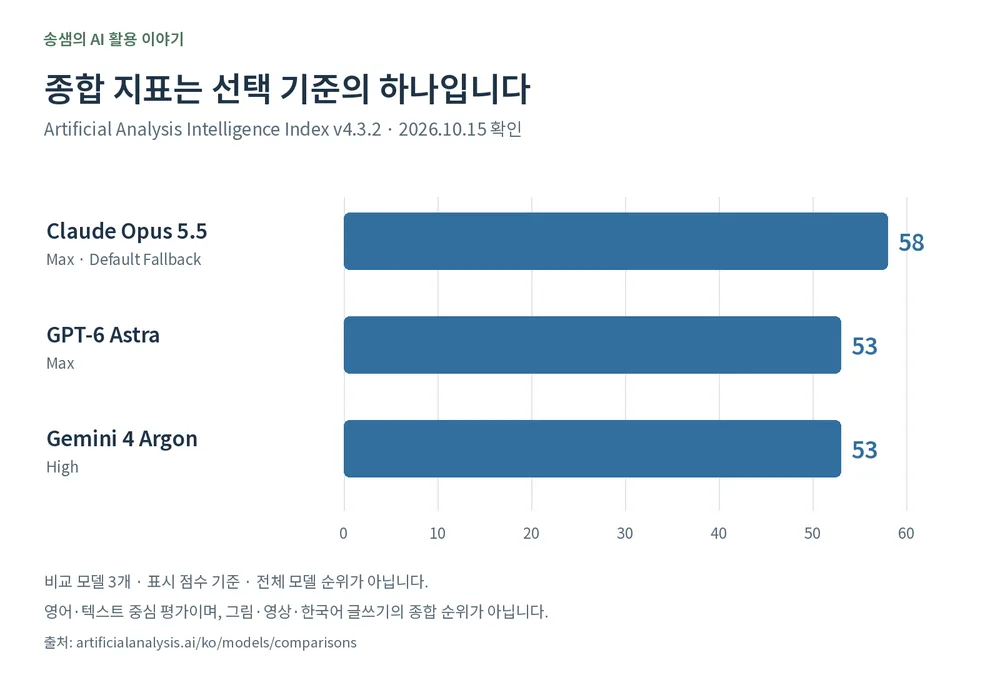
When experience alone feels thin, public evaluations help. Artificial Analysis, which evaluates AI models, publishes a composite benchmark called the Intelligence Index. It currently combines 10 evaluations covering agentic tasks, coding, general knowledge and document understanding, scientific reasoning and more.
As of October 15, 2026, the three models compared show these scores:
| Company | Model and setting | Score |
|---|---|---|
| Anthropic | Claude Opus 5.5 — Max, Default Fallback | 58 |
| OpenAI | GPT-6 Astra — Max | 53 |
| Gemini 4 Argon — High | 53 |
Keep a few things in mind:
- Claude leads on this evaluation. But you cannot assume the gap shows up the same way in your own work. Results differ by sub-evaluation, and scores change with new models and methods.
- It is not a ranking of every ability. The index is mainly English and text-based. It does not reflect image or video generation, or how satisfying the Korean writing is.
- Tell the app apart from the model. ChatGPT, Claude and Gemini are service names; the names in the table are models used inside them. Depending on your plan and chosen mode, the model and settings you actually use may differ. So these scores do not mean "the free apps rank in this order too."
So which should you try first?
- Decide what you want to do. For words and images together, look at ChatGPT first; for careful review of documents and code, Claude; for working inside Google apps, Gemini. That is the starting point I suggest from experience.
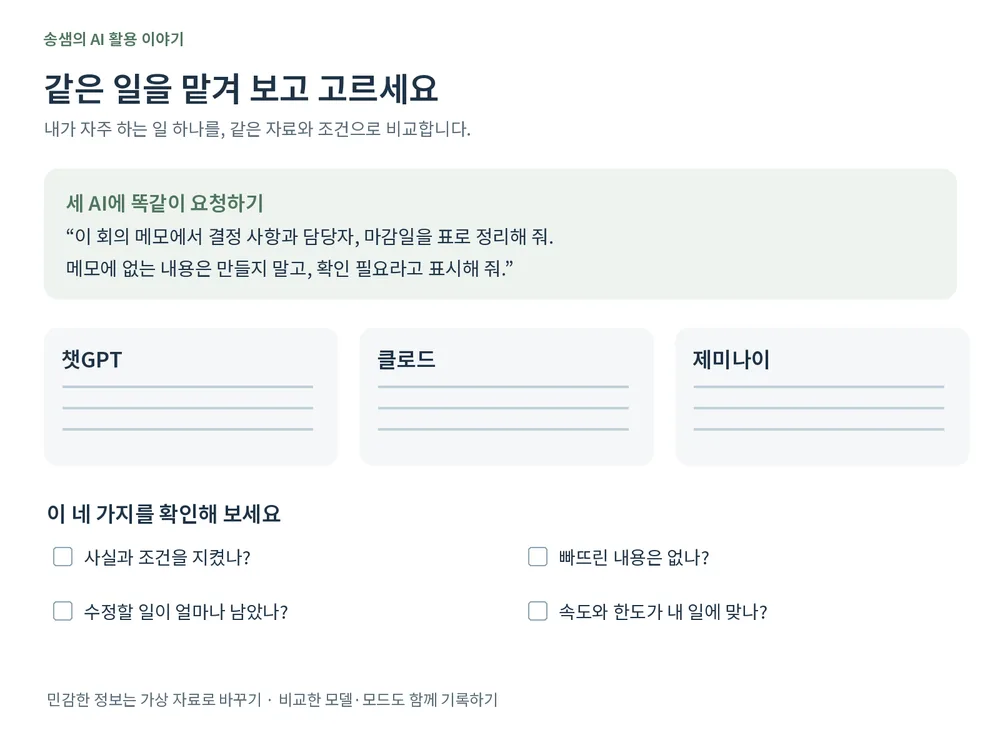
- Give them the same real task. A task you actually do often beats a greeting. For example, give all three the same meeting notes and ask:
"From these meeting notes, list the decisions, owners and deadlines in a table. Don’t invent anything not in the notes; mark it as needs checking."
Compare whether each kept to the facts, what it missed, and how much you had to fix, rather than how impressive it looks. Replace sensitive details like client names with dummy data. When comparing on free plans, note the model and mode selected too; the result reflects that setup, not the company’s overall ranking.
- Start by paying for the one you need. You do not need all three. Pick the one that handles your frequent work well and where features or limits keep stopping you. After a month, judge whether it really helped, counting the time spent fixing its output.
In short
- In my experience, ChatGPT is the all-rounder for words and images, Claude the careful one for logic and code, and Gemini the household manager tied into Google apps. All three can do many jobs.
- On the public Intelligence Index, Claude leads, but it is an English, text-focused evaluation, and apps differ from models.
- Use benchmarks as a reference, test the same task yourself, and pay for the one you need first.
At ONE-PEX, we don’t stick to a single AI when building FROX. Planning, coding and making images each call for a different one.
Scores and plan benefits are based on public sources checked on October 15, 2026, and may change.
Related reading: Free vs. Paid AI: What Changes When You Pay · Why is AI so confidently wrong?
Sources

A software planner who became a developer after two years of working with AI five to twelve hours a day. Today I build FROX, an AI-powered business system, at ONE-PEX.
More posts
- What Can You Build with AI?Orders in KakaoTalk, Stock in Excel, Receivables in a Notebook: Changing Messenger Orders Only the Owner Understands (Food Supplier, Part 1)
- What Can You Build with AI?I Fixed My TWA App, So Why Didn't It Change? What I Learned from the War with Caching
- What Can You Build with AI?Details Matter: Splitting 3D Characters and Vehicles So They Can Move (Building Road Voca 2, Part 5)