
 Song-saem: From Planner to Developer with AIBlog home →
Free vs. Paid AI: What Changes When You Pay, and What Doesn’t
Paid AI is not automatically more accurate. What changes is usage, model choice, how much it handles at once (tokens), features, and ads. On personal plans, the training setting is still yours to check after you pay.

What is the difference between free and paid AI? The biggest difference is how long and how much you can keep working. Paying raises usage limits, widens the models and features you can choose, and lets you handle more at once. But paying does not make wrong answers disappear, and whether your chats are used for training is a separate setting you must check yourself.
Is paid AI smarter?
Half yes. Paid plans let you choose from more models or use features that think longer about complex problems more generously. That can help when analyzing a long report or planning around many conditions.
But free plans also offer good models and many tools. Simple questions or polishing short texts are often fine on free. And as an earlier post, "Why is AI so confidently wrong?", explained, the habit of sounding right while being wrong remains in paid models. Paying does not remove the need to check.
What changes when you pay
1. How much you can use. Usage is the first difference you feel. Analyzing a file, revising answers and comparing again can hit free limits and break your flow. Google says Google AI Pro has 4x the usage limits of free. Each company counts usage and refills limits differently, and paid plans have limits too.
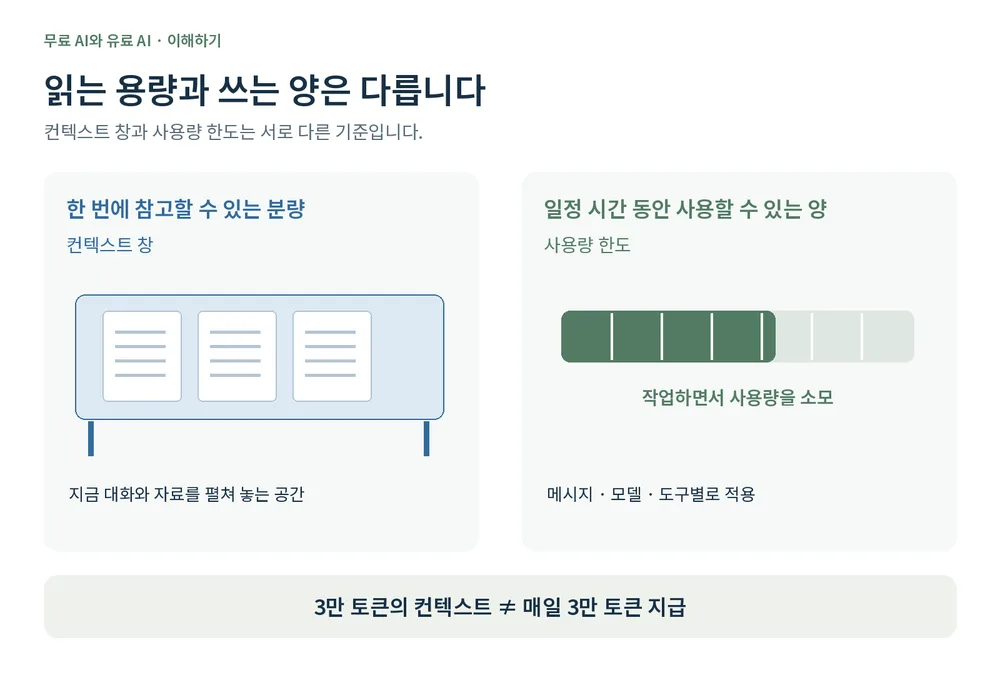
One key distinction: reading a long document at once and using the AI a lot over time are different things.
2. Model choice. Paid plans widen your choice of top models and advanced reasoning. Model names and availability change often. Rather than "free is always weaker," it is more accurate to say "paid gives you more chances to pick the right model for your task."
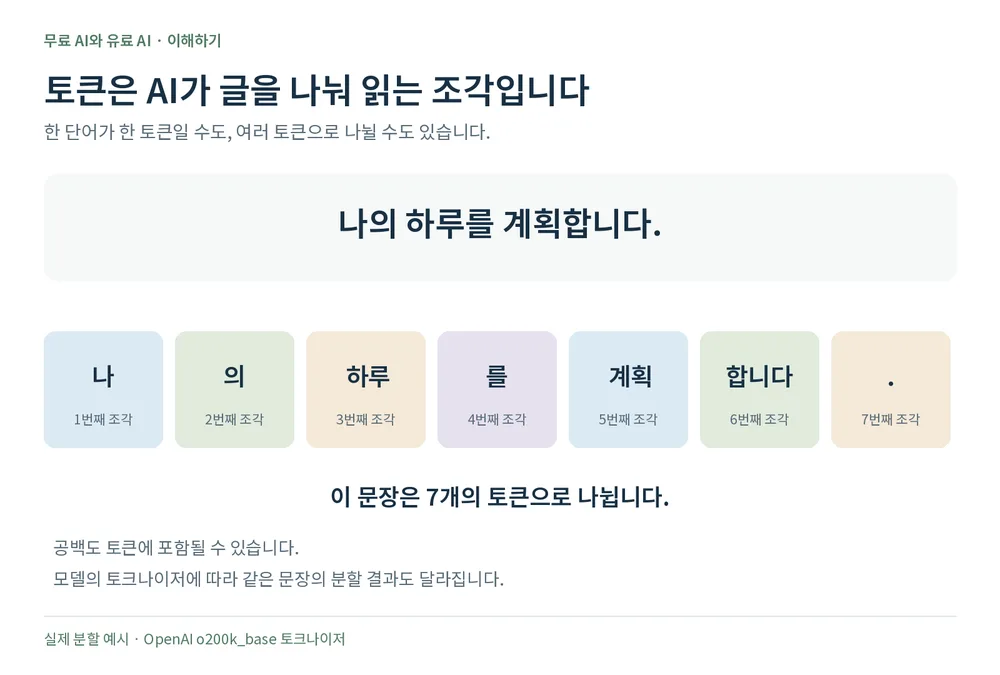
3. Tokens and how much it handles at once. AI reads text in small pieces called tokens. A word may be one token or several, and Korean and English split differently, so "one token equals N characters" has no fixed answer.
The range an AI can refer to at once is its context window, and tokens measure its size. A 30K-token context does not mean you get 30K tokens refilled each day. Here is what the three companies officially state:
| Service | Free | Paid |
|---|---|---|
| ChatGPT | About 27K tokens for Instant; reasoning mode may differ | Plus: Instant about 54K; reasoning mode about 256K |
| Claude | No fixed figure for free in the official guidance we checked | In chat, 200K or 500K depending on the model; some models reach 1M in the coding tool Claude Code |
| Gemini | 32K tokens | AI Plus 128K; AI Pro and Ultra 1M |
These numbers are not just for the document you upload. The conversation so far, system instructions and room for the answer all share the space. Converting tokens to book pages also varies with language and layout.
How is free usage given, then? Chat services usually set limits per message, model or tool rather than "N tokens per day." Long documents and complex tasks use up limits faster than short questions. When you reach a limit, you wait until the reset time the service shows. So when choosing a paid plan, look at both how much it handles at once and how long you can keep working.
Being able to paste a long document does not guarantee a complete, accurate analysis. Ask about important parts separately and check the results.
4. Features. File analysis, image creation, deep research, projects and coding tools are added or expanded on paid plans, and each company offers different ones. Claude Pro includes Claude Code, for example, but not everyone needs a coding tool. What matters is whether you will actually use it.
5. Ads. ChatGPT shows ads on Free and Go plans in some countries, including South Korea, while Plus, Pro and others are ad-free. Still, "paid means no ads" is not quite right: Go is paid and may include ads, so check the terms of the plan you buy.
What does not change when you pay
A personal paid subscription and whether your chats are used for training are separate matters. Even on ChatGPT Plus or Pro, check the training setting yourself. Turn off "Improve the model for everyone" under Settings > Data controls and new chats from then on are not used for training.

Claude also lets you choose in its privacy settings whether to share chats for model improvement. For Gemini, check the activity setting and related privacy guidance. The three companies name and handle these settings differently.
Business services follow different policies from personal ones. ChatGPT Business and Enterprise, for example, do not use work data for training by default. If you handle company data, check the product’s data terms before the price. Not being used for training and not being stored are also different things. The earlier post "Where can your personal data leak from ChatGPT?" covers where these settings are.
So when should you pay?
- Starting free is fine. If you ask a few questions a day and polish short texts, free may be enough.
- Consider paying when features or limits keep stopping you. If you keep pausing work to wait, you will feel the difference.
- Pick just one at first. Use it for a month on the work you do most and see whether it really saves time. There is no need to start with the most expensive plan.
- For company data, check the policies too. Know whether it is a personal or business product, and what its training and data retention terms are.
Prices vary by product. ChatGPT Plus and Claude Pro each cost 20 US dollars a month in the US, for example. There are cheaper and pricier options, and the actual amount depends on region, tax and how you pay, so check the checkout screen. Plans and limits change often, so I check each company’s guidance again myself before paying.
In short
- What changes with paid AI: usage, model choice, how much it handles at once (tokens), features, and ads.
- The context window (how much it reads at once) and usage (how long you can keep going) are different things.
- Paying neither removes wrong answers nor turns off training for you. For company data, start with the business product’s data terms.
When we build FROX, the AI-powered business system at ONE-PEX, we choose by the same rules: we connect through an API that does not train on data by default, not through staff members’ personal accounts, and spend only what is needed.
Plans and limits are as stated in official guidance checked on October 14, 2026, and may change.
Related reading: Where can your personal data leak from ChatGPT? · Why is AI so confidently wrong?
Sources

A software planner who became a developer after two years of working with AI five to twelve hours a day. Today I build FROX, an AI-powered business system, at ONE-PEX.
More posts
- What Can You Build with AI?The Tools You Need to Build a Web App: Node.js, React, Next.js, Supabase, Vercel, GitHub (Build Your Own Scheduler, Part 2)
- What Can You Build with AI?Which Language Should You Build a Web App In? Languages Compared (Build Your Own Scheduler, Part 1)
- AI User ManualWhere Can Your Personal Data Leak from ChatGPT? The Privacy Settings, Explained