
 Song-saem: From Planner to Developer with AIBlog home →
Which Language Should You Build a Web App In? Languages Compared (Build Your Own Scheduler, Part 1)
The first post in a series where we build a scheduler for our own daily use and run it on both PC and phone. We compare what HTML, CSS, JavaScript, TypeScript, Python, Kotlin, Swift, Dart and SQL are typically used for, and explain why this series uses TypeScript.
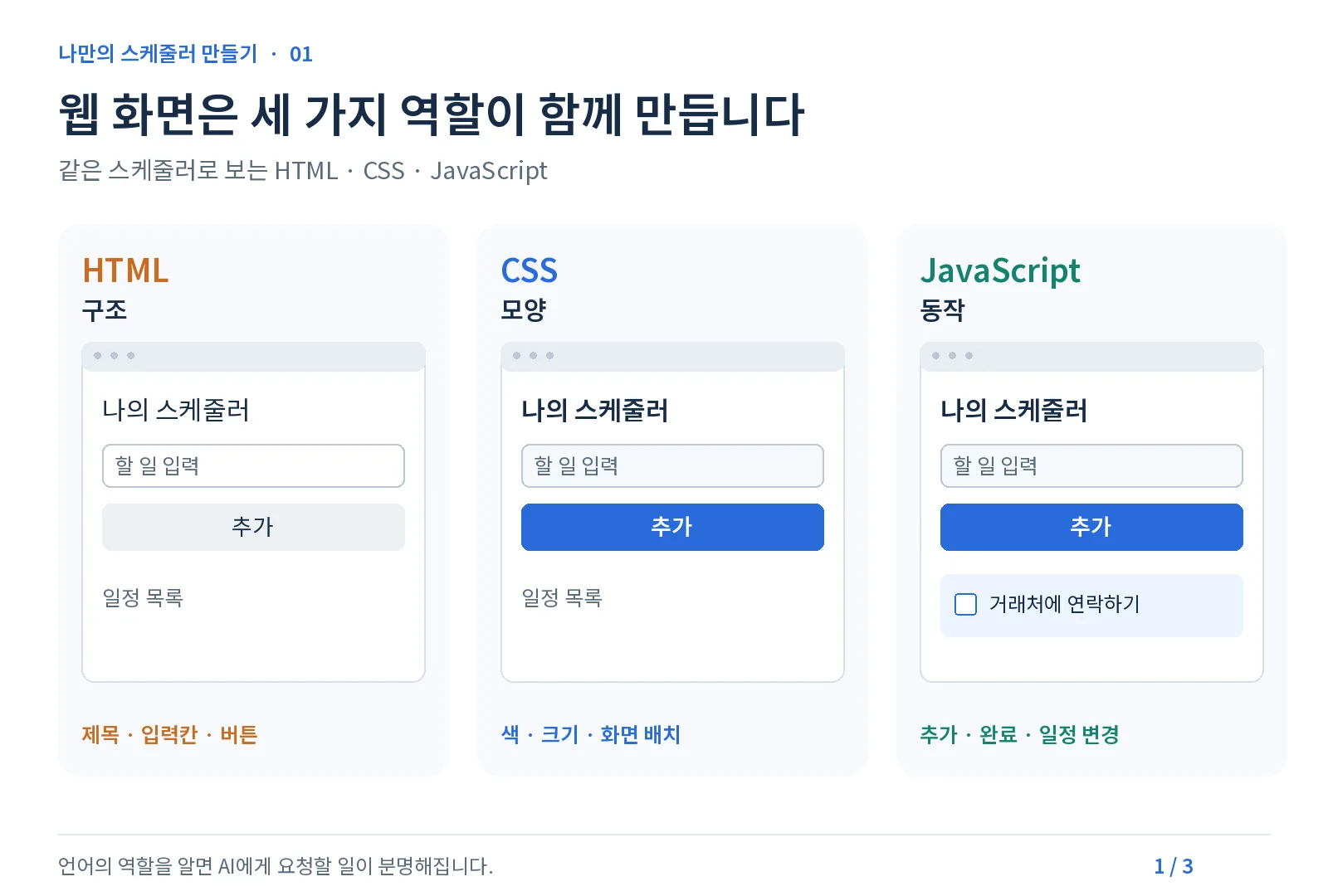
Which language should you start with to build a web app? HTML handles a screen’s structure, CSS its look, and JavaScript its behavior. TypeScript adds data-type checks on top of JavaScript, and this series uses TypeScript with Next.js. This is part 1 of the "Build Your Own Scheduler" series, starting with what each language is good at.
What this series builds
A scheduler for organizing today’s tasks and plans my own way. It is not an app to sell or distribute; the goal is a small tool I use every day, on both PC and phone. We skip the Play Store and instead add it to the phone’s home screen. Here is the order:
- Choosing a language (this post)
- The tools you need: Node.js, React, Next.js, Supabase, Vercel, GitHub
- Planning your own scheduler
- Building the screens
- Saving your schedule
- Putting it online and adding it to your phone’s home screen
Even when AI writes most of the code, knowing each language’s character helps you decide what to ask for and notice when the AI heads the wrong way. So we start with the basics.
Three roles build a web screen
The basics of a web screen are HTML, CSS and JavaScript. People often call them all "web languages," but strictly speaking HTML is a markup language for structure, CSS is a style sheet language for appearance, and JavaScript is a programming language for behavior.
| Role | Language | In our scheduler |
|---|---|---|
| Structure | HTML | Elements like the title, task input box and add button |
| Appearance | CSS | Colors, font sizes, layout, fitting phone screens |
| Behavior | JavaScript | Tap "Add" and a task appears; tap done and its status changes |
Basic HTML, CSS and JavaScript files can be checked right in the browser, so Chrome alone is enough to start with a small screen. The Next.js setup used in this series needs separate preparation (part 2). In the 2025 Stack Overflow Developer Survey, JavaScript (66%) and HTML/CSS (61.9%) were the two most used.
JavaScript plus types: TypeScript
JavaScript handles data types flexibly. That is convenient, but mistakes that mix up different kinds of values can show up only when the code runs.
TypeScript is JavaScript with data types added. If you declare that a task title is a string and its done status is true or false, it catches mistakes like putting the word "done" into the done status before you run anything. TypeScript code is converted to JavaScript and runs in the browser.
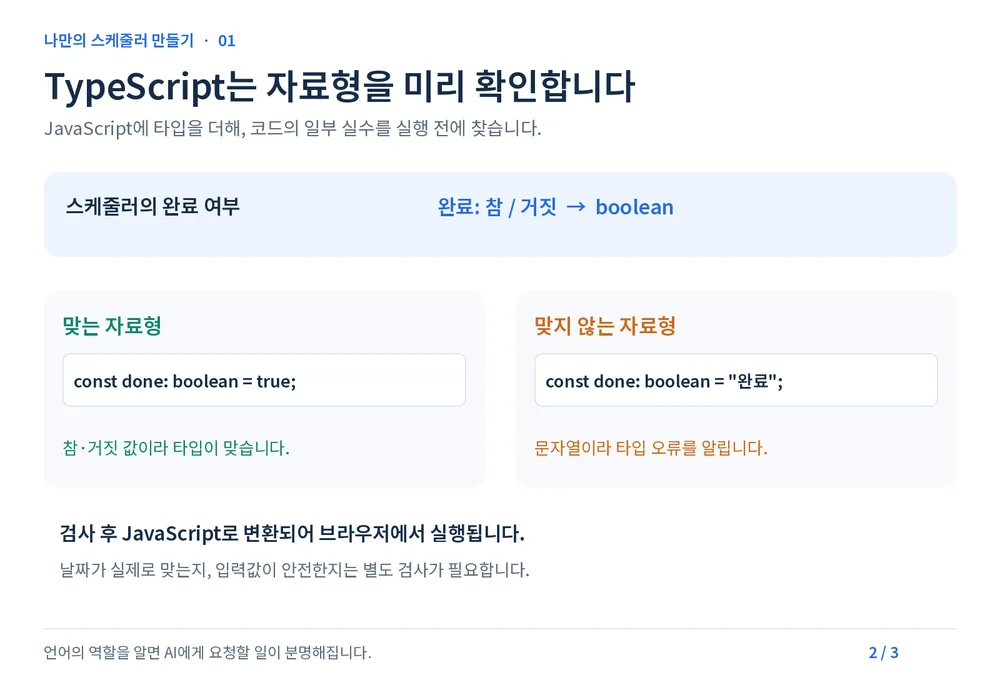
- Strengths: Catches type mismatches before running. Even as code grows, you can see what to fix. Screen and server code in the same language.
- Weaknesses: Writing types feels tedious at first and error messages are unfamiliar. It does not catch every error: whether an entered date is actually right, or a button works as intended, still needs checking.
According to GitHub’s 2025 report (Octoverse), TypeScript passed Python and JavaScript to become number one in August 2025, measured by monthly contributors. The report also noted that type checking helps when developing with AI. Rankings change with how they are measured.
What are other languages good at?
| Language | Typical use | Good to know |
|---|---|---|
| Python | AI, data analysis, automation (e.g. tidying hundreds of Excel files) | Also used for web servers, but browser screens are built with HTML, CSS and JavaScript |
| Kotlin | Google’s preferred language for Android; apps that use phone features deeply | Ways exist to share code across platforms, but that is a different path from this series |
| Swift | Apps for iPhone and other Apple platforms | Typical iOS development needs a Mac and Xcode |
| Dart and Flutter | Dart is the language, Flutter the UI framework. One codebase for Android and iPhone, with web and desktop support | A different toolchain from this web-first series |
| SQL | Querying, saving and updating data in a database | Used alongside screen languages (we meet it again when saving the schedule) |
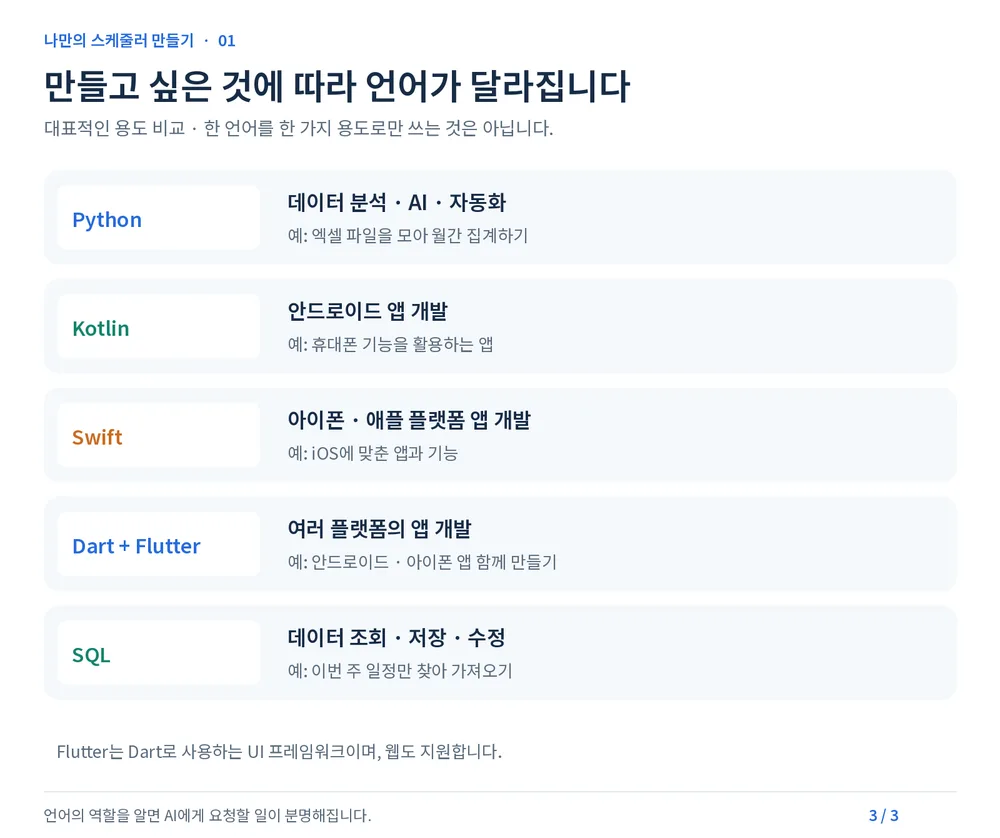
No language is limited to one use; these are the typical uses worth knowing when you first choose. Python grew 7 percentage points in the 2025 Stack Overflow survey, showing its popularity in the AI era. My own first program was in Python and ran on my PC.
Why TypeScript for this series?
- It works well on both PC and phone. Built to fit screen sizes, a web app runs in PC and phone browsers. Add it to your phone’s home screen and it opens with a tap on its icon.
- Screen and server code in the same language. With Next.js, both the screen code and the server code that handles saving are TypeScript.
- It helps check AI-written code. Running the type check finds some mistakes, such as mismatched data types, in advance. I run the type check once more on code the AI has changed, too.
Of course, a simple scheduler can be built with HTML, CSS and JavaScript alone. This time I chose TypeScript and Next.js to learn how to grow features step by step and use them on both PC and phone. If your work centers on data analysis and automation, Python may fit better; for apps that use phone features deeply, Kotlin or Swift may.
No Play Store needed
The goal is a scheduler just for me. So there is no need to build an Android app with a TWA or register it on the Play Store. Put the web app online and add it to your phone’s home screen. We will look at preparing it as an installable web app (PWA) in the final part.
There is no need to start big. Build one feature you want to use every day, and start from there.
In short
- Web screens are built by HTML (structure), CSS (appearance) and JavaScript (behavior).
- TypeScript adds types to JavaScript to catch type mistakes early. It does not catch everything, but it is especially useful when building with AI.
- Python is strong in AI, data and automation; Kotlin and Swift in apps that use phone features deeply; Flutter in apps for many devices. This series, a web app for both PC and phone, uses TypeScript.
FROX, the business system we build at ONE-PEX, also uses TypeScript and Next.js. The tools in this series are the same ones used in real business systems.
Next (Part 2): What Node.js, React, Next.js, Supabase, Vercel and GitHub each are, and what role each plays in this project.
Sources

A software planner who became a developer after two years of working with AI five to twelve hours a day. Today I build FROX, an AI-powered business system, at ONE-PEX.